

Discover why pCloud stands out against other cloud storage services for travelers. This guide compares security, offline access, pricing, and performance to help digital nomads and frequent travelers choose the best cloud storage solution for life on the move.
Table of Contents
- Introduction
- What Is Cloud Storage and Why It Matters for Travelers
- Meet pCloud – A Quick Overview
- Key Needs of Travelers When Choosing Cloud Storage
- pCloud Features Explained for Travelers
- pCloud vs Google Drive
- pCloud vs Dropbox
- pCloud vs OneDrive
- pCloud vs iCloud
- Internet Connectivity Challenges While Traveling
- Security Concerns for Travelers
- File Sharing and Collaboration on the Go
- Performance and Speed Across Countries
- Cost Comparison – Long-Term vs Short-Term Travelers
- Pros and Cons Summary
- Who Should Choose pCloud?
- Final Verdict – Is pCloud the Best Choice for Travelers?
- Conclusion
- FAQs
Introduction
Imagine this: you’re sitting in a café in Lisbon, latte in hand, when your phone suddenly glitches. All your booking confirmations, travel photos, and work files—gone. Sounds like a nightmare, right? For travelers, cloud storage isn’t a luxury anymore; it’s a survival tool.
But how can you choose the ideal option if there are so many available? Today, we’re diving deep into pCloud vs other cloud storage services, and more importantly, which one actually makes sense for travelers.
Let’s unpack this suitcase, one feature at a time.
What Is Cloud Storage and Why It Matters for Travelers
Definition of Cloud Storage
Cloud storage is basically a digital backpack. Instead of carrying your files on a single device, you store them online and access them from anywhere in the world. Lose your phone? No panic. New laptop? Log in and keep going.
Real-Life Travel Scenarios Where Cloud Storage Saves the Day
- Passport scans at immigration
- Hotel confirmations during check-in
- Client files while working remotely
- Backing up travel photos before your phone hits the ocean
For travelers, cloud storage equals peace of mind.
Meet pCloud – A Quick Overview
What Makes pCloud Different
pCloud isn’t just another cloud storage provider. It’s Swiss-based, privacy-focused, and refreshingly simple. While others push endless subscriptions, pCloud offers something rare: lifetime plans.
Yes, pay once. Use forever.
Company Background and Trust Factor
Founded in Switzerland—famous for privacy laws—pCloud benefits from strict data protection regulations. That alone already gives it an edge for travelers concerned about data safety abroad.
Key Needs of Travelers When Choosing Cloud Storage
Offline Access
No internet on a train through the Alps? No problem. Offline access is non-negotiable for travelers.
Security and Privacy
Public Wi-Fi is like leaving your door open in a busy street. Travelers need encryption that actually means something.
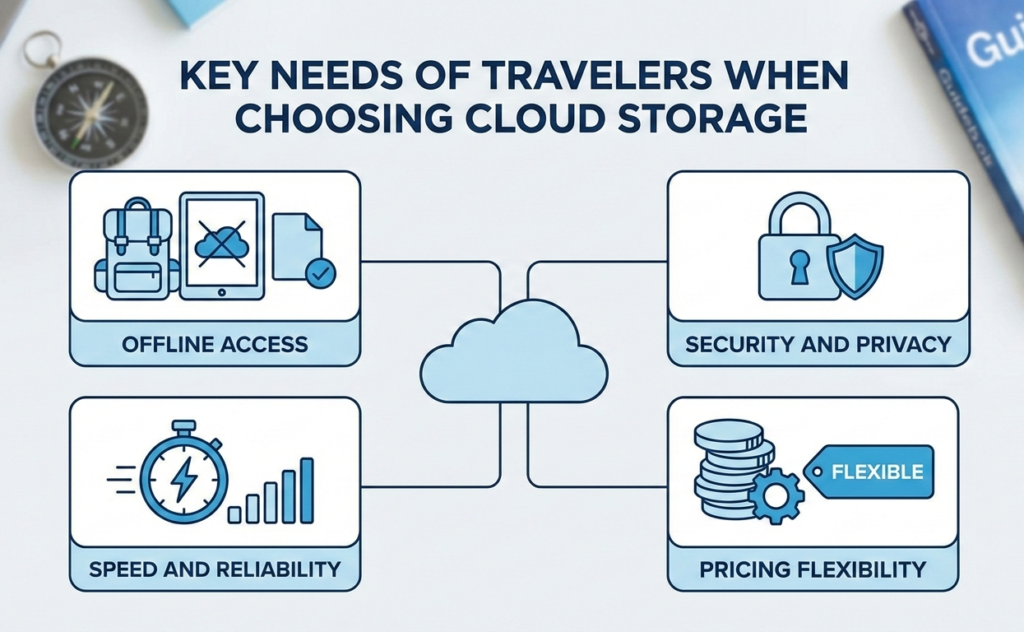
Speed and Reliability
Nobody wants to wait 10 minutes for a boarding pass to load while a line forms behind them.
Pricing Flexibility
Subscriptions pile up fast. Travelers value simplicity and long-term savings.
pCloud Features Explained for Travelers
Lifetime Plans – A Traveler’s Dream
Instead of paying monthly forever, pCloud lets you buy storage once. Whether you travel for one year or ten, your storage cost stays the same. That’s like buying a suitcase that magically expands whenever you need it.
pCloud Crypto for Extra Security
pCloud offers optional client-side encryption, meaning only you can access your files. Not even pCloud can see them. Perfect for sensitive documents like passports or visas.
Offline Files and Media Streaming
You can mark files for offline use on mobile. Videos, photos, PDFs—available even in airplane mode.
Mobile App Experience on the Road
The app is clean, fast, and doesn’t feel bloated. Navigation is intuitive, even when jet-lagged and half-awake.
pCloud vs Google Drive
Google Drive is everywhere—but is it ideal for travelers?
Storage and Pricing
Google Drive offers limited free storage, then pushes monthly plans. Over years of travel, those costs quietly snowball.
Privacy and Data Ownership
Google scans data for “service improvements.” That might be fine at home, but abroad? Many travelers prefer stronger privacy guarantees.
Best Option for Travelers
pCloud wins for privacy, lifetime value, and independence from Google’s ecosystem.
pCloud vs Dropbox
Dropbox is fast, no doubt.
Sync Speed and Performance
Dropbox shines in sync speed, but pCloud is no slouch and performs consistently across regions.
Offline Access Comparison
pCloud allows easier offline control without aggressively pushing paid tiers.
pCloud vs OneDrive
OneDrive works best if you live inside Microsoft’s world.
Ecosystem Lock-In
If you’re not using Windows and Office heavily, OneDrive feels restrictive.
Ease of Use While Traveling
pCloud’s cross-platform flexibility makes it better suited for travelers hopping between devices.
pCloud vs iCloud
iCloud is great—if you never leave Apple’s garden.
Apple-Only Limitations
Accessing iCloud on non-Apple devices feels clunky.
Cross-Platform Freedom
pCloud works smoothly on Android, iOS, Windows, macOS, and web—no favoritism.
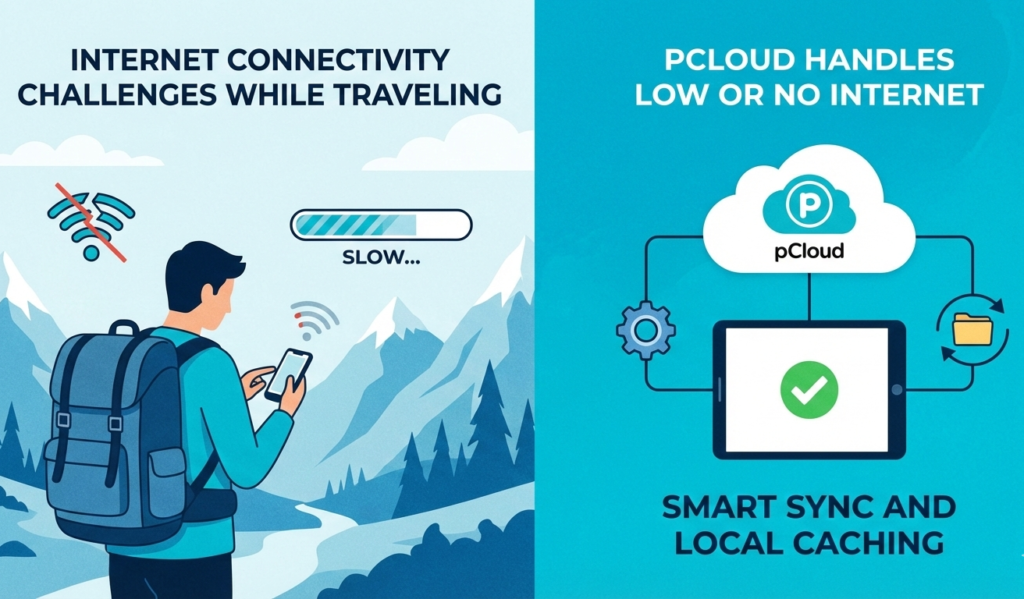
Internet Connectivity Challenges While Traveling
How pCloud Handles Low or No Internet
Smart caching ensures files load quickly, even on weak connections.
Smart Sync and Local Caching
You can choose which files stay local and which stay online, balancing storage and access perfectly.
Security Concerns for Travelers
Public Wi-Fi Risks
Airports, cafés, hotels—public Wi-Fi is unavoidable and risky.
Zero-Knowledge Encryption Explained Simply
Think of it as a locked suitcase where only you have the key. Even if someone grabs the suitcase, they can’t open it.
File Sharing and Collaboration on the Go
Sharing Travel Photos and Videos
Generate share links instantly. No account needed for recipients.
Working Remotely While Traveling
pCloud supports versioning, collaboration, and smooth file recovery—ideal for freelancers and digital nomads.
Performance and Speed Across Countries
Global Server Infrastructure
pCloud uses high-performance servers optimized for global access.
Upload and Download Consistency
Speeds remain stable across continents, which matters when deadlines don’t care about time zones.
Latest Posts:




Cost Comparison – Long-Term vs Short-Term Travelers
Subscription Fatigue
Monthly fees feel small… until you add them up.
Lifetime Value Calculation
pCloud often pays for itself within 2–3 years. Everything after that? Free storage for life.
Pros and Cons Summary
pCloud Pros
- Lifetime plans
- Strong privacy
- Excellent offline access
- Cross-platform support
pCloud Cons
- pCloud Crypto costs extra
- Fewer third-party integrations than Google
Also Read:
How to Use Stripo to Design High-Converting Email Campaigns
The Ultimate Guide to Hofer Reisen AT: What Makes It a Trusted Travel Partner
Top 7 Reasons Why italki HK Limited Is Changing Language Education in 2025
How ZoomInfo Transforms Lead Generation and Sales Prospecting
Xero Review 2025: Is It the Best Accounting Software for Small Businesses?
Who Should Choose pCloud?
Digital Nomads
Perfect balance of privacy, access, and cost savings.
Casual Travelers
Reliable backup without recurring payments.
Adventure Travelers
Offline access and security in remote locations make pCloud a strong ally.
Final Verdict – Is pCloud the Best Choice for Travelers?
If you value privacy, offline access, long-term savings, and flexibility, pCloud stands out. While Google Drive or iCloud might feel familiar, pCloud feels designed for movement—for people who don’t stay in one place too long.
Conclusion
Travel is unpredictable. Your cloud storage shouldn’t be. pCloud offers travelers something rare in the digital world: control. Control over costs, privacy, and access—no matter where your journey takes you. If cloud storage were a travel companion, pCloud would be the reliable friend who always shows up on time.