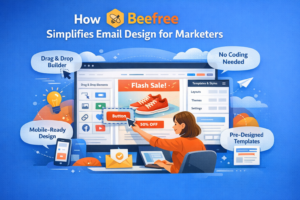

Ever wondered how some brands send those stunning emails that make you want to click instantly? That’s where Stripo steps in. Stripo is a powerful email design platform that helps marketers, designers, and business owners create professional, high-converting email campaigns without needing any coding skills.
Whether you’re running an e-commerce store, SaaS product, or a newsletter — Stripo’s intuitive interface and automation tools make it easy to build beautiful emails that drive results.
Table of Contents
- Understanding the Power of Email Marketing
- Getting Started with Stripo
- Building Your First Email Template
- Using Stripo’s Design Tools
- Personalization and Dynamic Content
- Mobile Responsiveness
- Integrations with ESPs (Email Service Providers)
- A/B Testing and Optimization
- Stripo Collaboration Features
- Stripo’s Brand Guidelines & Email Modules
- Best Practices for High-Converting Email Design
- Common Mistakes to Avoid
- Pricing and Plans
- Conclusion
- Frequently Asked Questions
Understanding the Power of Email Marketing

Email marketing remains one of the highest ROI digital channels. It’s personal, direct, and measurable. A well-crafted email can turn a casual browser into a loyal customer.
But here’s the secret: your success depends on design and engagement. A high-converting email isn’t just about text; it’s about the right visuals, layout, and clear calls-to-action — all of which Stripo helps you achieve effortlessly.
Getting Started with Stripo
Creating an Account
Head to Stripo.email and sign up using your email or Google account. You can start with a free plan, which offers all the basic tools to design and export your first campaign.
Exploring the Dashboard
Once logged in, you’ll see a clean dashboard that lets you:
- Create new templates
- Access existing projects
- Connect with your ESPs
- View saved modules and brand assets
Interface Overview
Stripo’s drag-and-drop editor is divided into three sections:
- Email preview (main canvas)
- Block library (on the left)
- Customization panel (on the right)
This layout makes it simple to edit and visualize your design in real-time.
Building Your First Email Template

Choosing a Template
Stripo offers over 1500 ready-to-use templates, categorized by industries and purposes — from welcome emails to abandoned cart reminders.
Customizing Templates
Use the drag-and-drop editor to add text, images, buttons, social links, and more. You can also adjust padding, spacing, and color schemes to match your brand.
Branding Your Emails
Upload your logo, set your brand’s primary color, and use custom fonts to make your emails consistent with your brand identity.
Using Stripo’s Design Tools

Visual Customization
Play around with background colors, typography, and grid layouts. Stripo gives you pixel-perfect control over every section of your email.
Incorporating CTAs
Add strong, action-driven buttons like “Shop Now” or “Get Started.” Stripo lets you experiment with button shapes, sizes, and hover effects for better engagement.
Optimizing Media
Compress large images, use web-safe fonts, and embed videos using AMP blocks to make your emails more dynamic and engaging.
Personalization and Dynamic Content
Personalization is key to conversions. With Stripo, you can:
- Insert customer names or custom data fields
- Display product recommendations dynamically
- Create AMP-powered interactive content like carousels or accordions
Personalized and interactive emails significantly boost engagement and click-through rates.
Mobile Responsiveness
Over 60% of users read emails on mobile devices. Stripo’s templates are automatically responsive, meaning they look perfect on every screen size.
Use the mobile preview toggle to ensure your text, images, and buttons appear just right. You can even hide certain blocks on mobile or desktop versions for optimized readability.
Integrations with ESPs (Email Service Providers)
Stripo seamlessly integrates with over 70 ESPs including:
- Mailchimp
- HubSpot
- Constant Contact
- Sendinblue
Once you’re done designing, simply export your email directly to your chosen ESP in one click — no need for manual uploads.
A/B Testing and Optimization
Want to know which version performs better? Use Stripo’s A/B testing compatibility to experiment with:
- Subject lines
- Layouts
- Button placements
Measure key metrics like open rate, CTR, and conversion rate, then refine your designs accordingly.
Stripo Collaboration Features
If you work with a team, Stripo’s collaboration suite is a game changer:
- Leave comments directly on email blocks
- Assign review tasks
- Manage permissions for team members
This ensures smooth communication and faster project completion.
Stripo’s Brand Guidelines & Email Modules
Stripo lets you save design blocks as reusable modules, so you can quickly insert headers, footers, or CTA sections into future emails.
Their Brand Guidelines feature ensures every campaign stays visually consistent, even if multiple team members are designing.
Latest Post:




Best Practices for High-Converting Email Design

- Keep your subject line short and catchy
- Use contrasting colors for CTAs
- Maintain plenty of white space
- Focus on one clear goal per email
- Add trust-building elements like reviews or testimonials
Common Mistakes to Avoid
- Overloading emails with too many images
- Using unclear or multiple CTAs
- Forgetting to test before sending
- Neglecting accessibility and mobile optimization
Avoiding these pitfalls ensures that your emails not only look great but also convert effectively.
Pricing and Plans
Stripo offers both Free and Paid plans.
- The Free plan includes up to 10 templates/month and basic exports.
- The Business plan starts at affordable pricing with advanced integrations, collaboration tools, and unlimited exports.
Choose a plan based on your email marketing scale and team size.
Also visit:
Secret Treasures: Discovering Hidden Gems in Italy
Hidden Gems in Italy: Exploring Beyond the Tourist Trail
Hidden Gems in Italy That Will Take Your Breath Away
The Best Beaches in Florida for Nightlife and Entertainment
The Best Beaches in Florida for Beach Volleyball
Conclusion
Designing high-converting email campaigns doesn’t have to be complicated. With Stripo, you can build beautiful, functional, and conversion-optimized emails — all without touching a single line of code. Whether you’re a marketer, designer, or entrepreneur, Stripo empowers you to create campaigns that stand out in the inbox and drive real results.