
Email marketing has changed a lot. A simple message with text, images, and one button can still work, but audiences now expect faster and more engaging content. Video email marketing has become one way brands can make their emails more interesting, especially when a product, service, tutorial, or announcement is easier to understand visually.
A viewed video email takes this idea a step further. Instead of only asking whether someone opened an email or clicked a link, marketers can focus on whether the recipient actually interacted with video content. That difference matters because a click does not always mean that someone watched the content. In 2026, marketers are increasingly looking for engagement signals that tell them what people actually did rather than relying only on traditional email metrics.
Table of Contents
- What Is a Viewed Video Email?
- Why Viewed Video Emails Matter in 2026
- How Video Works Inside an Email
- Viewed Video Email vs Traditional Video Email
- Personalization in Video Email
- Video Email and Customer Journey
- Best Use Cases for Viewed Video Emails
- Video Email Compatibility in 2026
- What Happens When an Email Client Cannot Play Video?
- Benefits of Viewed Video Emails
- How to Create an Effective Viewed Video Email
- Metrics to Track
- Viewed Video Email and Email Automation
- Common Mistakes to Avoid
- Best Practices for 2026
- Is Viewed Video Email Worth Using?
- Conclusion
- Frequently Asked Questions
What Is a Viewed Video Email?
A viewed video email is an email campaign that uses video content and measures recipient interaction with that video. Depending on the technology being used, the video may play directly inside the email or the recipient may click a video preview that opens a hosted video page.
The important idea is the viewing behavior. Traditional email reporting may tell you that a recipient opened an email and clicked a button. Video tracking can add another layer by showing whether the person started a video, watched part of it, or reached the end. This gives marketers more context about engagement.
For example, imagine an online software company sends a product demonstration to 1,000 leads. Suppose 300 people click the video. That number is useful, but it does not tell the complete story. If the video platform shows that 220 people watched most of the demonstration, the company has a much stronger signal that the content attracted genuine attention.
How Video Email Works
There are several ways to create a video email. The most common approach is a thumbnail with a play button that links to a video hosted on a website or video platform. Animated GIFs can also be used to create a moving preview, while specialized services can generate email code that adapts the video experience according to the recipient’s email client.
Shopify’s 2026 guidance recommends making video easy to find, adding a clear call to action, optimizing for mobile devices, and measuring the effect of the video on campaign performance.
The method you choose depends on your audience, email platform, technical requirements, and the amount of video tracking you need.
Why Viewed Video Emails Matter in 2026
The biggest reason video email matters is simple: attention is difficult to earn. People receive promotional messages every day, and a long block of text can be easy to ignore. Video gives marketers another way to communicate an idea quickly and visually.
Video can also help explain complicated products. A 60-second product demonstration may answer a question that would otherwise require several paragraphs. A short customer story can create more context than a static product image. A tutorial can show exactly what a customer needs to do rather than describing every step.
Current 2026 marketing guidance continues to highlight video as a useful email format for engagement, product demonstrations, announcements, education, and onboarding.
The value of viewed video emails is not simply that they contain video. The real advantage comes from combining video content, email personalization, tracking, and follow-up actions into one marketing process.
The Shift From Static Email to Interactive Content
Traditional email is often designed around a simple sequence: send the message, wait for an open, measure clicks, and evaluate conversions. Video introduces another layer because the recipient’s behavior can reveal more about their interest.
Think of the difference between someone walking into a store and someone spending five minutes looking at a particular product. Both actions show some interest, but the second action provides more context. Video engagement can work in a similar way.
This does not mean every video view represents buying intent. Someone may watch a video because it is entertaining or because they are simply curious. However, when video engagement is combined with other signals—such as previous website visits, downloads, purchases, or clicks—it can help marketers create more relevant follow-up campaigns.
How Video Works Inside an Email
There is a common misunderstanding about video email: many people assume that marketers can simply upload an MP4 and place a normal video player inside every inbox. In practice, email clients have different technical rules.
As of 2026, native HTML5 video support remains limited. A current compatibility guide from Sendspark reports that only a small number of email clients reliably support native HTML5 video, while major platforms such as Gmail and many Outlook environments use fallbacks or remove video elements.
That is why marketers commonly use a static image with a play button. When the recipient clicks the image, they are taken to a webpage where the video can play normally. This method is less exciting technically, but it is much more predictable.
Another option is an animated GIF. A GIF can show a short preview directly in the email, although quality and file-size limitations must be considered. Specialized video email platforms can also create adaptive experiences that serve different formats depending on the recipient’s email environment.
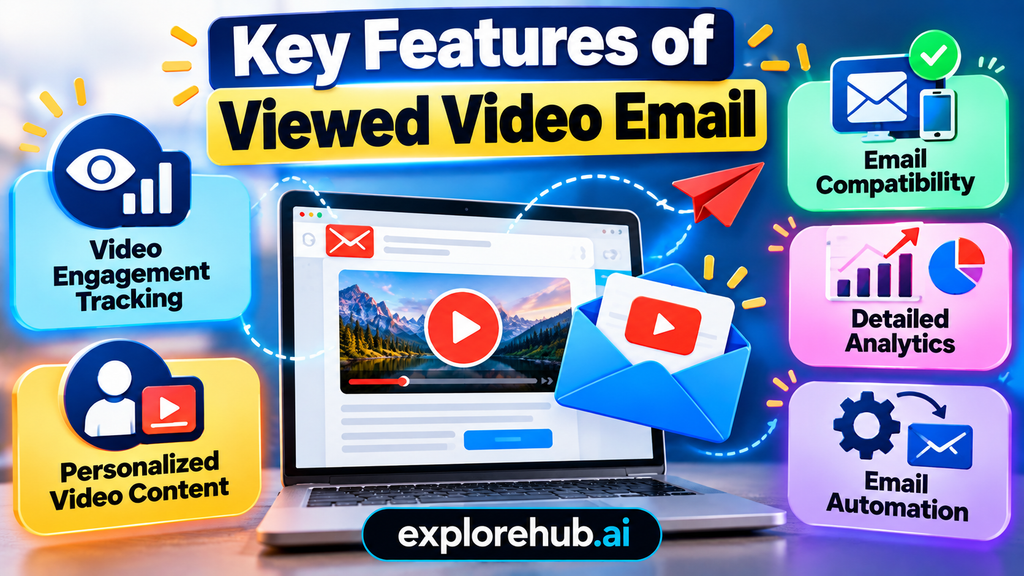
Key Features of Viewed Video Email
- Video Engagement Tracking – Monitor video plays, watch time, and completion rates.
- Personalized Video Content – Create video experiences tailored to individual recipients.
- Email Compatibility – Use thumbnails, GIFs, and fallback options for different email clients.
- Detailed Analytics – Understand how recipients interact with your video content.
- Email Automation – Trigger follow-up emails based on viewer engagement.
Viewed Video Email vs Traditional Video Email
The terms can sound similar, but they focus on slightly different ideas.
| Feature | Traditional Video Email | Viewed Video Email |
| Main focus | Sending video content | Measuring video engagement |
| Video delivery | Link, GIF, or embedded video | Link, adaptive video, GIF, or embedded video |
| Main metric | Clicks and opens | Views and viewing behavior |
| Personalization | Optional | Often closely connected with tracking |
| Automation | Basic to advanced | Can trigger behavior-based actions |
| Analytics | Email-level metrics | Email + video engagement |
| Main purpose | Share video | Understand and act on video engagement |
A traditional video email can be useful even without detailed viewer tracking. A viewed video email becomes more valuable when the marketer wants to understand what happened after the recipient interacted with the message.
That distinction becomes especially important for sales teams. A salesperson may not need to treat every email click as a strong buying signal. If a prospect clicks a product video and watches nearly the entire demonstration, however, that behavior can provide useful context for the next conversation.
Key Differences
The difference can be summarized in one question: Are you only sending video, or are you learning from how people interact with it?
Viewed video campaigns are built around the second idea. They treat video engagement as data that can help improve future communication.
Some specialized platforms also support real-time personalization. Viewed, for example, says its platform can generate personalized videos using CRM data and provide video performance insights. These are vendor-reported capabilities, so actual results can vary by campaign, audience, and implementation.
Personalization in Video Email
Personalization is one of the most interesting developments in video email. Instead of sending exactly the same video to everyone, marketers can create different experiences based on customer information.
For example, a travel company could show different destinations based on a customer’s previous searches. A software company could send a product tutorial based on the plan a customer uses. An ecommerce company could create videos connected to a customer’s recent purchase.
Some platforms support personalized video at scale by connecting video generation with CRM information. Viewed describes a system for creating data-driven personalized videos for individual customers and using them in marketing and transactional campaigns.
However, personalization should have a clear purpose. Adding someone’s name to a video is not automatically useful. Good personalization should make the message more relevant, not simply more noticeable.
Video Email and Customer Journey
Viewed video email can fit into several stages of the customer journey.
At the awareness stage, video can introduce a company, explain a problem, or provide educational content. During consideration, a product demonstration or comparison video can help prospects understand available options. After purchase, video can support onboarding, setup, training, or customer support.
This makes video useful beyond promotional campaigns. A customer who has already purchased something may benefit more from a setup tutorial than another sales message.
A good campaign therefore asks one simple question: What does this customer need next?
If the answer is explanation, video may help. If the answer is a price, a simple email may be better. If the answer is an urgent account update, adding a video could actually make the message harder to understand.
Best Use Cases for Viewed Video Emails
Video works best when movement or demonstration adds real value.
Common use cases include product demonstrations, tutorials, onboarding messages, customer stories, event invitations, product launches, personalized sales outreach, abandoned-cart campaigns, and educational content.
Wyzowl’s 2026 guide highlights use cases including teasers, announcements, learning content, product demonstrations, and onboarding.
Sales, Ecommerce, and Customer Support
For sales teams, a personalized video can introduce a product or explain a solution. The salesperson can then use engagement data to understand whether the prospect interacted with the content.
For ecommerce, video can show how a product looks or works. A clothing brand might demonstrate fit and movement, while a technology company could show a product in use.
For customer support, video can reduce confusion. Instead of describing ten interface steps in text, a short screen recording can show the process.
The same concept can work in education. A teacher or institution can use video email to share a lesson preview, assignment explanation, event invitation, or student guidance.
Video Email Compatibility in 2026
Compatibility remains one of the biggest challenges. Email clients do not behave like normal web browsers, and security and performance rules can limit advanced HTML.
A 2026 compatibility reference from Playable lists different video formats and fallbacks for Apple Mail, Gmail, Outlook, Yahoo Mail, Android, and Samsung Mail. This shows why one video format should not automatically be expected to work everywhere.
For most campaigns, a linked thumbnail remains the safest option. It does not depend on native video support and sends the recipient to a normal webpage.
| Method | Compatibility | Best Use |
| Static thumbnail | Very broad | Most campaigns |
| Animated GIF | Broad but limited | Short visual previews |
| Native HTML5 video | Limited | Controlled audiences |
| Hosted video link | Very broad | Detailed tracking |
| Adaptive video platform | Depends on provider | Large campaigns |
Testing is essential. Send the campaign to different email clients and mobile devices before launching it to your complete audience.
What Happens When an Email Client Cannot Play Video?
A strong campaign should never depend on one playback method. Instead, it should have a fallback.
If native video does not work, the recipient might see an animated preview. If animation is not supported, they can see a static image. The image should link to a webpage where the full video works normally.
This approach protects the campaign from technical differences between email clients.
A 2026 email design guide recommends using linked thumbnails as the default, GIF previews when motion is helpful, and HTML5 video only for audiences where compatibility has been tested.
The fallback should also make sense without the video. Add descriptive text and a normal link such as Watch the Product Demo. This ensures the email remains useful even when images are disabled.
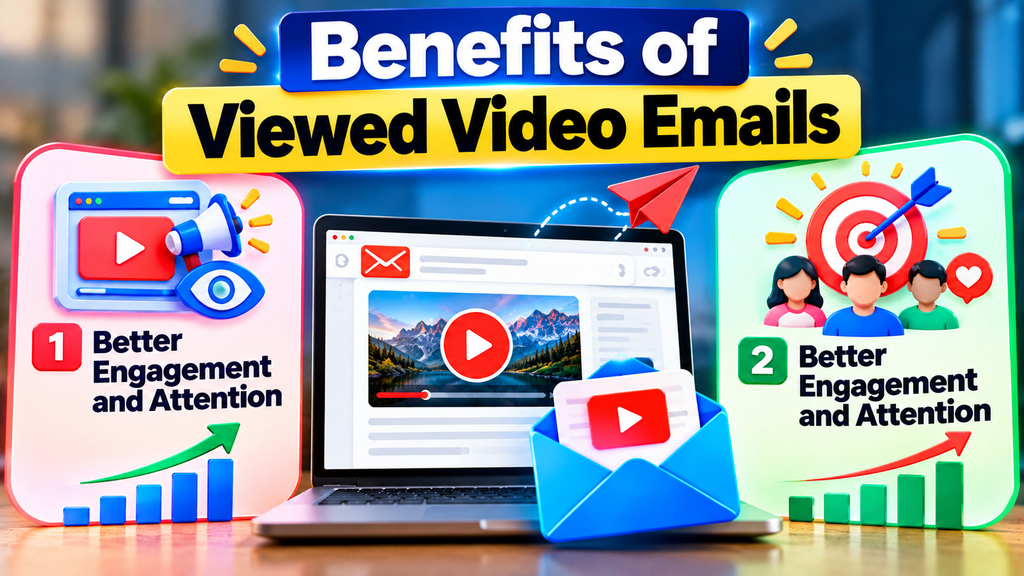
Benefits of Viewed Video Emails
One major benefit is stronger content engagement. Video can communicate demonstrations, emotions, movement, and product experiences in a compact format. This makes it useful when text alone would feel slow or unclear.
Another benefit is better audience segmentation. Imagine sending an educational video to 10,000 subscribers. Some people may never click it. Others may watch 20 seconds. Another group may watch the complete video. Those groups can receive different follow-up messages instead of receiving the same campaign.
Video can also support brand communication. A short introduction from a founder, product manager, trainer, or customer can make an email feel more personal. The format can be especially useful when trust and explanation are important.
Shopify recommends tracking metrics such as opens, clicks, forwards, shares, and unsubscribes when evaluating video email campaigns rather than assuming that video alone creates better performance.
Better Engagement and Attention
Video gives the reader another reason to stop scrolling. A strong thumbnail, clear title, and familiar play button can immediately communicate what the recipient will receive.
The key is not to make the video long simply because video is available. A short demonstration can often perform a clearer job than a 10-minute presentation. The goal should be to remove friction and answer the recipient’s next question.
For example, an ecommerce brand might use a 20-second product demonstration. A SaaS company could show three important features in one minute. A university might send a short campus tour. A support team could explain how to solve a common problem.
The best length depends on the purpose, audience, and funnel stage.
How to Create an Effective Viewed Video Email
Start with a clear goal. Do not begin by asking, “Where can we put a video?” Instead, ask what you want the recipient to understand or do.
Then create a short video that supports that goal. Use a strong thumbnail, a clear play button, and a visible call to action. Make sure the destination page loads quickly and works well on mobile.
The email itself should remain simple. A useful structure could include a short introduction, video preview, one or two supporting sentences, and one primary CTA.
Mobile optimization is especially important. Shopify notes that more than 40% of email views are on mobile devices, making responsive email and video experiences an important part of campaign planning.
Metrics to Track
Tracking is where viewed video email becomes more useful than a basic video link.
Important metrics include:
- Email open rate
- Click-through rate
- Video play rate
- Video completion rate
- Average watch time
- Conversion rate
- Unsubscribe rate
- Revenue or leads generated
Do not look at these numbers separately. A campaign might have a high click rate but a low video completion rate. That could mean the thumbnail attracted attention, but the video failed to deliver what the recipient expected.
Likewise, a low overall video-view rate does not always mean the campaign failed. If the people who watched the video converted at a much higher rate, the campaign may still have strong business value.
The goal is to connect engagement data with business outcomes.
Also Read:
FlixBus US Booking Tips: Save More on Long-Distance Travel
Why Plaza Premium (Global) Is the Best Airport Lounge Experience in the World
Ski-planet FR for Beginners: A Complete Ski Travel Guide
Top Villas (US): Where Comfort Meets Scenic Beauty
The Ultimate Guide to Choosing the Right Portable Monitor from Mobile Pixels
Viewed Video Email and Email Automation
Video engagement becomes even more useful when connected to automation.
For example, suppose a prospect watches a product demo. The email system can place that person into a follow-up sequence. Someone who watches only a few seconds might receive a different message explaining the product’s basic value.
A customer who watches an onboarding tutorial could receive a follow-up email with advanced tips. A customer who ignores the video could receive a shorter text-based explanation.
This creates a more responsive communication system.
The important principle is to avoid excessive automation. A video view is a signal, not a complete picture of someone’s intentions. Combine video behavior with other useful information before making major marketing decisions.
Common Mistakes to Avoid
The first mistake is assuming that every email client supports video. It does not. Current 2026 sources consistently point to limited native playback support across major email clients.
The second mistake is making the video too long. People may click because they are curious, but a long introduction can quickly lose attention.
The third mistake is using a weak thumbnail. The thumbnail is often the first thing that communicates the video’s value. It should clearly show what the recipient will learn or see.
Another mistake is forgetting accessibility. Add descriptive text, captions where appropriate, and a normal text link to the video. This gives recipients more than one way to access the information.
Finally, do not judge success only by views. A video with 10,000 views is not automatically better than one with 2,000 views. The business result matters.
Best Practices for 2026
The most practical approach is to treat video as part of the entire email experience rather than as a decoration.
Keep the message focused. Use a strong thumbnail. Make the CTA obvious. Optimize for mobile. Test different email clients. Provide fallbacks. Track video behavior and connect it with conversions.
If you use personalization, make sure it improves relevance. If you use automation, make sure the triggers are meaningful.
For many businesses, a simple thumbnail → video landing page → tracked engagement → relevant follow-upworkflow will be more reliable than trying to force native video playback into every inbox.
Specialized platforms can add advanced features such as adaptive delivery, analytics, personalized videos, and CRM integrations. Viewed, for example, currently advertises compatibility with a wide range of CRM and email platforms and provides video analytics as part of its service.
Latest Posts:




Is Viewed Video Email Worth Using?
Viewed video email can be valuable when the video provides information that text or static images cannot communicate as effectively.
It can be particularly useful for product demonstrations, sales outreach, onboarding, education, customer support, and personalized campaigns. It becomes even more useful when video engagement can be connected with meaningful follow-up actions.
At the same time, video is not automatically the right choice for every email. A simple password-reset message, billing notice, or urgent account alert may be better without video.
The strongest approach is practical: use video when it improves the customer experience, track what people actually do, and use those insights to make future communication more relevant.
Conclusion
Viewed video email represents a broader shift in email marketing from simply measuring delivery and clicks toward understanding engagement. In 2026, marketers have access to more ways to use video, personalize content, track viewing behavior, and connect engagement with automation.
The technical side still needs attention because native video support differs significantly between email clients. Current guidance favors reliable approaches such as video thumbnails, GIF previews, hosted video pages, and adaptive video solutions rather than assuming every inbox can play HTML5 video directly.
The real opportunity is not simply putting a video inside an email. It is using video + tracking + personalization + automation to create a more useful customer journey.