
Discover the complete Freshworks CRM Review in this detailed 2026 guide designed for businesses looking to improve their sales and customer management. This post explores the key features, pricing, pros and cons, integrations, and overall performance of Freshworks CRM, helping you decide whether it’s the right CRM solution to streamline your sales processes and grow your business.
What is Freshworks CRM?
Overview of Freshworks and the CRM ecosystem
Customer relationships are the lifeblood of any successful business. Whether you’re running a startup, managing a growing sales team, or scaling an enterprise operation, organizing customer data and managing interactions effectively can make or break your growth strategy. That’s where Freshworks CRM comes into the picture. Designed to simplify sales, marketing, and customer engagement, this platform has become one of the most widely used CRM solutions for small and medium-sized businesses around the world.
Freshworks CRM—often referred to through its sales-focused product Freshsales—combines traditional customer relationship management tools with modern automation and artificial intelligence. The platform acts as a centralized hub where companies can manage leads, track deals, communicate with prospects, and analyze sales performance. Instead of juggling spreadsheets, email tools, and call systems separately, businesses can keep everything organized within a single dashboard. This centralized approach helps teams maintain better visibility into the sales pipeline and ensures that no opportunities slip through the cracks.
The ecosystem surrounding Freshworks CRM also includes complementary tools like marketing automation, customer support, and chat applications. When combined, these tools provide a full customer lifecycle solution—from the first website visit to post-purchase support. Businesses benefit from seamless data sharing across departments, allowing marketing, sales, and support teams to work together more effectively. As CRM technology continues to evolve, platforms like Freshworks are increasingly focusing on automation and AI-powered insights to help companies make smarter decisions and close deals faster.
Why businesses choose Freshworks CRM
Businesses today expect more than simple contact storage from their CRM tools. They want platforms that actively help them sell smarter, improve productivity, and build meaningful relationships with customers. Freshworks CRM has gained popularity largely because it delivers these capabilities while remaining relatively easy to use. Many organizations choose the platform because it strikes a balance between powerful features and user-friendly design.
One of the biggest reasons companies adopt Freshworks CRM is its all-in-one sales environment. Teams can manage contacts, track deals, send emails, make calls, and analyze performance without leaving the platform. This streamlined workflow significantly reduces administrative work and helps sales representatives focus on what really matters—building relationships and closing deals. The intuitive interface also means new users can learn the system quickly, reducing onboarding time for growing teams.
Another factor that attracts businesses is the platform’s affordability and scalability. Freshworks CRM offers a free plan for small teams of up to three users, making it accessible to startups and early-stage companies. Paid plans begin at around $9 per user per month, giving businesses an affordable entry point compared to many enterprise CRM platforms. This flexible pricing structure allows organizations to start small and upgrade features as their sales operations expand.
Key Features of Freshworks CRM
Contact and lead management
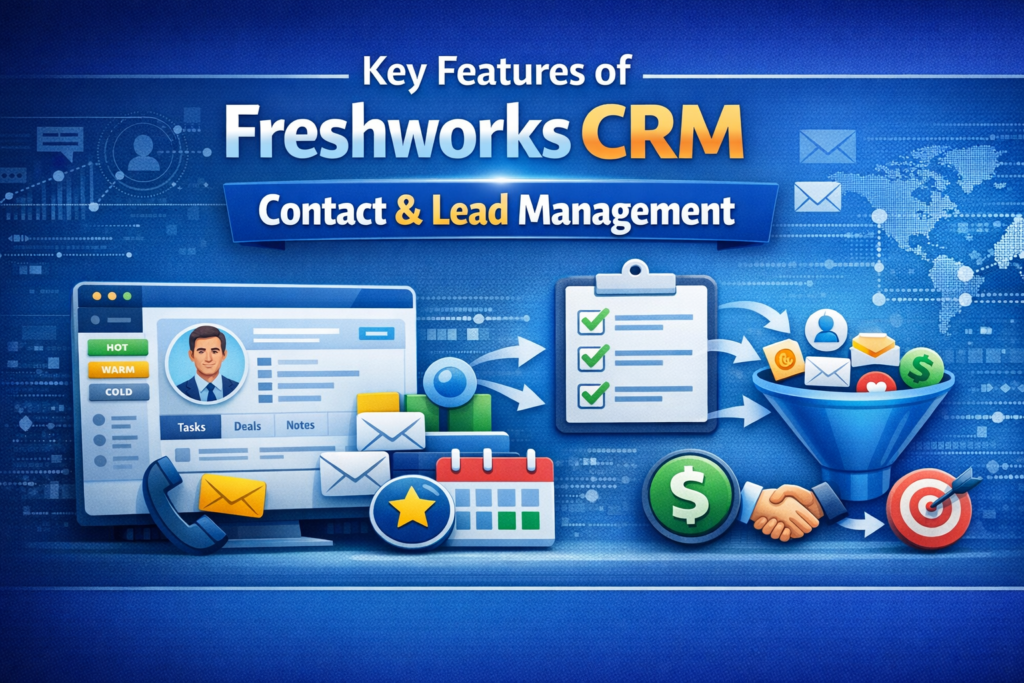
At the heart of every CRM platform lies the ability to manage customer data efficiently. Freshworks CRM excels in this area by providing a detailed 360-degree view of every contact and account. Each customer profile stores essential information such as email conversations, phone calls, meeting notes, tasks, and deal history in a single timeline. Instead of digging through multiple tools to find information, sales teams can see every interaction with a prospect in one place.
This comprehensive view makes it easier for sales representatives to personalize their communication. For instance, if a prospect previously asked about a specific product feature or pricing plan, that information will appear in the contact’s activity timeline. The salesperson can then reference that conversation during follow-up interactions, making the experience feel more tailored and professional. Over time, this level of personalization helps businesses build stronger relationships and increase conversion rates.
Lead management is another critical component of Freshworks CRM. Companies often receive leads from multiple channels—website forms, email campaigns, social media ads, or live chat conversations. The platform automatically captures these leads and organizes them within the CRM system. From there, teams can assign leads to specific sales representatives, track their progress through the pipeline, and ensure timely follow-ups. This structured approach reduces the risk of losing potential customers due to missed communication or poor organization.
Sales pipeline and deal tracking
One of the standout features of Freshworks CRM is its visual sales pipeline management. Instead of relying on static spreadsheets or complex reporting systems, the platform displays deals in a Kanban-style board. Each column represents a stage in the sales process—such as “New Lead,” “Qualified,” “Proposal Sent,” or “Closed Won.” Sales representatives can simply drag and drop deals between stages as they progress through the pipeline.
This visual representation makes it much easier to understand the overall health of the sales pipeline. Managers can quickly see which deals are moving forward, which ones are stalled, and which opportunities are likely to close soon. The system also tracks the value of each deal, allowing teams to forecast potential revenue for upcoming months or quarters. For growing businesses, this level of visibility is invaluable because it enables better planning and more accurate sales projections.
Another useful feature is the ability to create multiple pipelines for different business processes. For example, a company might use one pipeline for new sales, another for renewals, and a third for upselling existing customers. Each pipeline can have its own stages, rules, and reporting metrics. This flexibility ensures that businesses can tailor the CRM to match their unique sales workflows rather than forcing their teams to adapt to rigid software structures.
Built-in communication tools
Communication is the backbone of successful sales relationships, and Freshworks CRM integrates several communication tools directly into the platform. Sales representatives can send emails, make phone calls, and even chat with prospects without switching between different applications. Every interaction is automatically logged in the customer’s profile, creating a complete record of communication history.
Built-in calling features are particularly valuable for outbound sales teams. Instead of relying on separate phone systems, representatives can dial prospects directly from the CRM interface. Call recordings and notes are stored alongside the contact record, making it easy for team members to review past conversations or prepare for future follow-ups. This feature also provides valuable insights for managers who want to analyze call performance and improve sales training.
Email integration further enhances productivity by synchronizing with popular platforms like Gmail and Outlook. Sales representatives can track when emails are opened, clicked, or replied to, providing valuable signals about a prospect’s level of interest. These engagement metrics help teams prioritize high-value leads and tailor their follow-up strategies accordingly. Over time, the combination of built-in calling, email tracking, and messaging tools transforms the CRM into a centralized communication hub.
Automation and AI capabilities
Automation has become one of the defining features of modern CRM platforms, and Freshworks CRM leverages it extensively to streamline sales operations. Routine tasks such as assigning leads, sending follow-up emails, or updating deal stages can be automated using simple workflow rules. For example, businesses can create a rule that automatically assigns high-value leads to senior sales representatives or triggers reminder emails when a prospect hasn’t responded within a certain timeframe.
These automated workflows help eliminate repetitive administrative work that often consumes valuable selling time. Instead of manually updating records or scheduling reminders, sales teams can rely on the system to handle these tasks in the background. The result is a more efficient sales process where representatives can focus on building relationships rather than managing data.
Automation also plays a key role in improving consistency across the sales team. When processes are standardized through workflows, every lead receives the same level of attention and follow-up. This consistency ensures that prospects don’t fall through the cracks due to human error or miscommunication. Over time, automated processes help organizations scale their sales operations without dramatically increasing administrative overhead.
Freddy AI: The Intelligence Behind Freshworks CRM
AI lead scoring

Artificial intelligence is rapidly transforming the CRM landscape, and Freshworks CRM integrates AI through its virtual assistant known as Freddy AI. One of Freddy’s most valuable features is AI-powered lead scoring, which helps sales teams prioritize the prospects most likely to convert. Instead of relying on guesswork or manual analysis, the system evaluates multiple engagement signals to determine which leads deserve immediate attention.
Freddy AI analyzes factors such as email opens, link clicks, call outcomes, and historical deal data to assign dynamic scores to each lead. These scores change over time as prospects interact with your business. For instance, a lead who frequently opens emails and attends product demos will receive a higher score than someone who rarely engages with your content. This automated evaluation process allows sales representatives to focus their efforts on high-potential opportunities.
The impact of AI lead scoring can be significant, especially for businesses dealing with large volumes of prospects. By highlighting the most promising leads, the system helps teams allocate their time more effectively and increase their chances of closing deals. Sales representatives no longer need to sift through dozens or hundreds of contacts to determine who might be interested; the CRM surfaces those insights automatically.
Deal insights and forecasting
Beyond lead scoring, Freddy AI also provides valuable insights into deal performance and sales forecasting. The system analyzes patterns within the sales pipeline to identify deals that are at risk, trending positively, or likely to close soon. These insights allow managers to intervene early if a deal appears to be stalling or requires additional attention.
Forecasting is another area where AI proves extremely useful. By evaluating historical sales data and current pipeline activity, the CRM can estimate future revenue with greater accuracy. This information helps businesses make better strategic decisions regarding hiring, marketing investments, and production planning. Instead of relying solely on intuition, companies can use data-driven insights to guide their growth strategies.
The AI assistant also suggests “next best actions” for sales representatives, such as scheduling a follow-up call or sending a proposal. These recommendations are based on patterns from previously successful deals, helping teams replicate winning strategies. Over time, this continuous feedback loop improves sales performance and enhances the overall efficiency of the organization.
Freshworks CRM Pricing Plans
Free plan overview
One of the reasons Freshworks CRM appeals to startups and small businesses is its free plan. Unlike many CRM platforms that restrict access until users upgrade to a paid subscription, Freshworks allows small teams to begin using core features without any upfront cost. The free plan supports up to three users and includes essential tools such as contact management, deal tracking, and built-in communication channels.
For early-stage companies, this free plan provides an excellent opportunity to experiment with CRM software before committing to a larger investment. Teams can organize their customer data, track leads, and monitor sales performance while they evaluate whether the platform meets their long-term needs. Even though the free version lacks advanced automation features, it still offers enough functionality to support basic sales operations.
Another advantage of starting with the free plan is that it simplifies onboarding. Employees can learn how the system works without pressure, and managers can gradually introduce more advanced features as the team becomes comfortable with the platform. This gradual adoption strategy often leads to higher user satisfaction and better long-term results.
Growth, Pro, and Enterprise plans
As businesses expand, they often require more advanced tools for automation, analytics, and collaboration. Freshworks CRM addresses these needs through three main paid plans: Growth, Pro, and Enterprise. Each tier introduces additional features designed to support larger teams and more complex sales processes.
The Growth plan, priced at about $9 per user per month when billed annually, includes workflow automation, integrations with external tools, and enhanced reporting capabilities. These features help businesses streamline their processes and improve collaboration across teams. For many startups and small businesses, the Growth plan provides a strong balance between affordability and functionality.
The Pro plan, typically around $39 per user per month, adds advanced capabilities such as AI lead scoring, multiple sales pipelines, and deeper analytics. This plan is often considered the sweet spot for growing organizations that want to leverage automation and artificial intelligence to boost productivity.
At the top tier, the Enterprise plan—approximately $59 per user per month—offers advanced customization, security controls, and forecasting insights powered by Freddy AI. Larger companies often choose this plan because it allows them to tailor the CRM to their specific operational requirements.
| Plan | Price (per user/month) | Best For | Key Features |
| Free | $0 | Startups | Contact management, pipeline tracking |
| Growth | $9 | Small businesses | Automation, integrations |
| Pro | $39 | Growing teams | AI lead scoring, advanced workflows |
| Enterprise | $59 | Large organizations | Custom modules, forecasting insights |
Pros and Cons of Freshworks CRM
Advantages for businesses
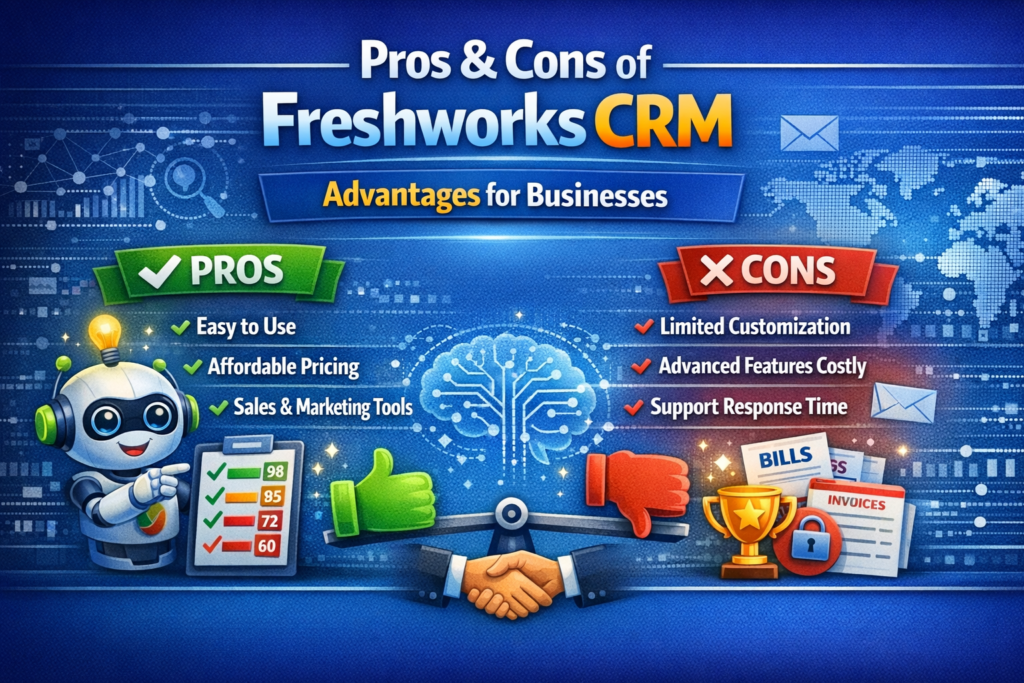
Freshworks CRM offers several advantages that make it an appealing option for modern businesses. One of the biggest strengths is its user-friendly interface. Many CRM platforms are known for being complex and difficult to navigate, especially for non-technical users. Freshworks, however, emphasizes simplicity and intuitive design, allowing sales teams to adopt the platform quickly without extensive training.
Another major advantage is the platform’s built-in communication tools. Instead of relying on multiple software solutions for email, calling, and messaging, teams can handle all interactions directly within the CRM. This integration not only improves efficiency but also ensures that every customer interaction is automatically recorded and easily accessible.
Automation and AI features also provide significant value. With Freddy AI analyzing engagement patterns and recommending actions, sales teams can make smarter decisions about where to focus their efforts. Over time, these insights help businesses increase conversion rates and improve overall sales performance.
Limitations to consider
While Freshworks CRM offers many benefits, it isn’t perfect for every organization. Some businesses may find that the platform lacks the deep customization options available in enterprise-level systems like Salesforce. Companies with highly specialized workflows or complex reporting requirements might require additional integrations or development work to achieve their desired functionality.
Another limitation is that certain advanced features are only available in higher-tier plans. For example, AI-powered insights and advanced automation capabilities are typically restricted to Pro and Enterprise subscriptions. Smaller teams using the free or lower-tier plans may feel limited as their operations become more sophisticated.
Despite these limitations, many businesses still find that Freshworks CRM delivers excellent value for its price point. For organizations seeking a balance between functionality, ease of use, and affordability, the platform remains a strong contender in the CRM market.
Freshworks CRM vs Other CRM Tools
Comparison with HubSpot CRM
When evaluating CRM software, many businesses compare Freshworks CRM with HubSpot. Both platforms offer free plans and focus heavily on user-friendly design. HubSpot, however, is known for its extensive marketing automation tools and robust integration marketplace. Businesses that prioritize inbound marketing and content-driven lead generation often lean toward HubSpot because of its powerful marketing capabilities.
Freshworks CRM, on the other hand, emphasizes sales productivity and communication tools. Built-in calling, email tracking, and AI-powered lead scoring provide a more streamlined environment for sales teams. While HubSpot may offer deeper marketing features, Freshworks often provides a more affordable solution for organizations primarily focused on sales management.
Comparison with Pipedrive
Another common comparison is between Freshworks CRM and Pipedrive. Pipedrive is widely recognized for its extremely simple and visual pipeline management system. Sales teams that want a clean, drag-and-drop interface often prefer Pipedrive because it focuses almost entirely on deal tracking and pipeline visibility.
Freshworks CRM offers similar pipeline features but adds additional capabilities such as built-in calling, AI insights, and marketing integrations. This makes it a more comprehensive solution for businesses that want both pipeline management and communication tools within the same platform. Companies must decide whether they prefer Pipedrive’s simplicity or Freshworks’ broader feature set.
Who Should Use Freshworks CRM?
Best use cases and industries
Freshworks CRM is particularly well-suited for small to medium-sized businesses that want a powerful CRM without the complexity of enterprise systems. Startups often choose the platform because it provides a free plan and affordable paid tiers, making it accessible even with limited budgets. As the business grows, the CRM can scale alongside it by adding automation, AI insights, and advanced reporting tools.
Sales-driven organizations benefit greatly from Freshworks CRM because of its built-in communication features and pipeline management tools. Outbound sales teams, in particular, appreciate the ability to call prospects directly from the CRM and track every interaction automatically. This functionality reduces manual data entry and allows representatives to spend more time engaging with customers.
Certain industries have also adopted Freshworks CRM extensively. Technology startups, SaaS companies, real estate agencies, and digital marketing firms frequently use the platform to manage large volumes of leads and maintain organized sales pipelines. Its flexibility and integrations make it suitable for a wide variety of business models.
Latest Post:




How to Get Started with Freshworks CRM
Setup process
Getting started with Freshworks CRM is relatively straightforward compared to many competing platforms. Businesses can create an account, import their existing contact database, and begin organizing leads within minutes. The system provides guided onboarding steps that help new users configure pipelines, customize fields, and integrate communication channels.
During the initial setup phase, companies should focus on structuring their sales pipeline correctly. Defining clear stages—such as lead qualification, proposal development, negotiation, and closing—ensures that every team member follows a consistent process. This structure also makes it easier to analyze performance and identify areas for improvement later on.
Best practices for implementation
Successful CRM implementation requires more than simply installing the software. Organizations should establish clear processes for how data will be entered, updated, and analyzed within the system. Consistency is key; if different team members use the CRM in different ways, the resulting data may become unreliable.
Training is another essential component. Even though Freshworks CRM is relatively easy to use, providing proper onboarding ensures that employees understand how to leverage its full capabilities. Businesses should also take advantage of automation features early on, as these tools can significantly reduce administrative workload and improve efficiency.
Read More:-
ZoomInfo: The Complete B2B Lead Generation Tool for Marketers
How Xero Simplifies Accounting for Digital Marketing Businesses
How Similarweb Helps Marketing Agencies Analyze Competitors
Workable: The Best Recruitment Software for Marketing Agencies
Unbounce: The Best Landing Page Builder for Marketing Agencies
Conclusion
Freshworks CRM has established itself as a powerful yet accessible platform for businesses seeking to improve their sales operations. By combining contact management, pipeline tracking, communication tools, automation, and AI insights within a single environment, the platform helps organizations streamline their workflows and build stronger relationships with customers.
The availability of a free plan and affordable pricing tiers makes Freshworks CRM particularly appealing to startups and small businesses. At the same time, advanced features like Freddy AI and custom workflows allow growing companies to scale their sales operations effectively. While it may not offer the same level of customization as some enterprise solutions, its balance of usability, functionality, and cost makes it a strong contender in the CRM market.
For businesses looking to centralize customer data, automate repetitive tasks, and gain better visibility into their sales pipeline, Freshworks CRM represents a practical and effective solution. With the right implementation strategy, it can become the foundation of a highly efficient sales organization.
FAQs
Q. Is Freshworks CRM free to use?
A. Yes. Freshworks CRM offers a free plan that supports up to three users and includes basic CRM features such as contact management and pipeline tracking.
Q. What is Freddy AI in Freshworks CRM?
A. Freddy AI is the platform’s built-in artificial intelligence assistant that provides features like lead scoring, deal insights, forecasting, and workflow automation.
Q. Is Freshworks CRM suitable for small businesses?
A. Absolutely. Its affordable pricing, easy setup, and free plan make it particularly attractive for startups and small to medium-sized companies.
Q. Can Freshworks CRM integrate with other tools?
A. Yes. The platform integrates with popular tools such as Gmail, Outlook, Slack, and various marketing and analytics platforms.
Q. How does Freshworks CRM compare to Salesforce?
A. Freshworks CRM is generally easier to use and more affordable, making it ideal for small and mid-sized businesses, while Salesforce is more customizable and suited for large enterprises.